Create Report Attributes
Report attributes let you define structured data fields (e.g., concern type, anonymity, referral status) that reporters or case managers complete. They feed into filtering, analytics, and snapshot templates.
1. Navigate to your admin site.

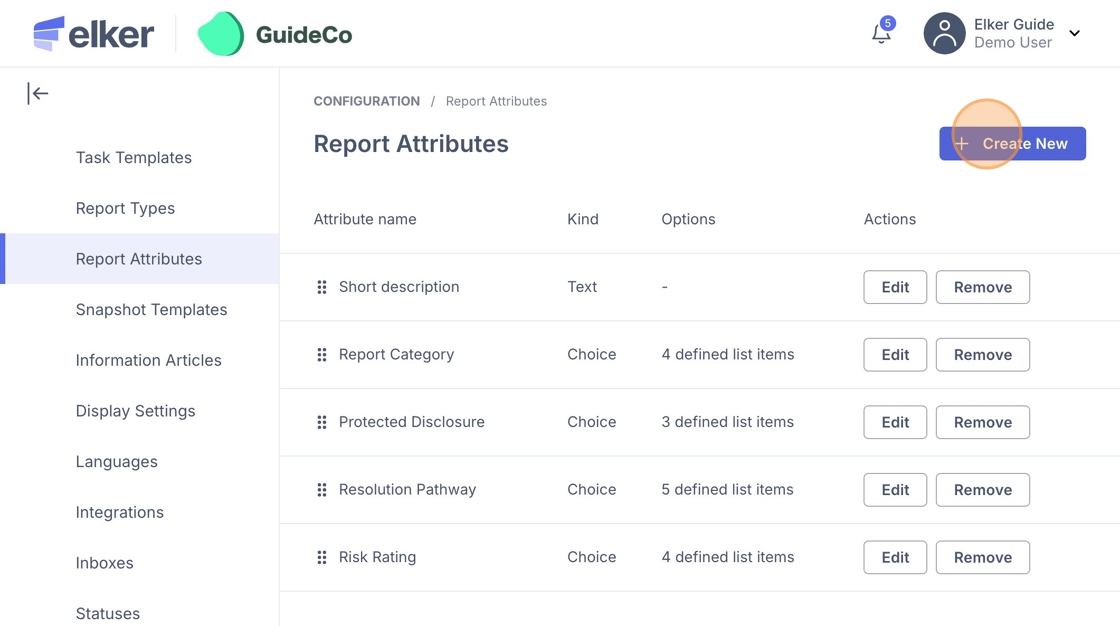
2. Navogate to Prefernece, then click "Report Attributes" under this.

Tip: Tip! Attributes can feed into analytics and snapshot templates so think ahead about how the data will be used.
3. Click 'Create New'.
4. Here you can enter the following:
Type: Choose what kind of data the attribute will capture:
-
Text – free text entry (e.g., “Please describe the issue”).
-
Date – date selection (e.g., “Date of incident”).
-
Choice – multi-select list of predefined options (e.g., “Report Category”).
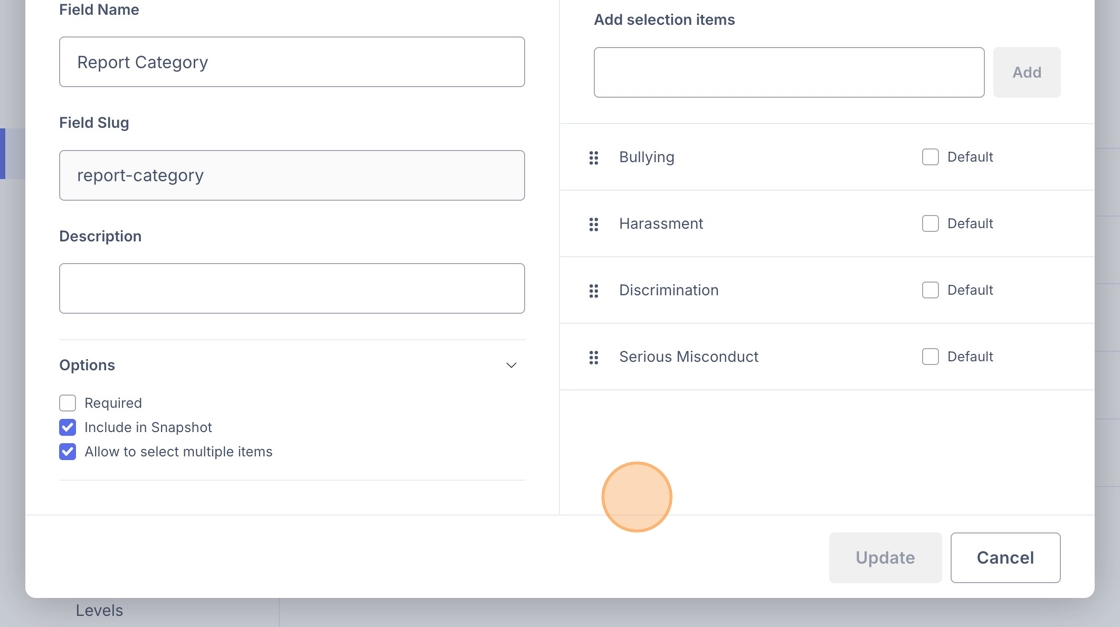
Field Name: The display name shown in the system (e.g., “Report Category” or “Concern Type”)
Field Slug: A simplified, system-friendly version of the field name (This will be auto populated)
Description: Optional helper text shown to users when completing the field.

5. Options
- Required – the reporter/case manager must complete this field before submitting.
- Include in Snapshot – this attribute will be pulled into snapshot templates.
- Allow multiple items – lets users select more than one choice at once.

6. Once you fill in the details you can then add the selection items on the right (if you have chosen choice).