Update Report Status and Close Report
1. Click on reports

2. Click on the report you'd like to update

3. Click "Details"

4. Click the status field
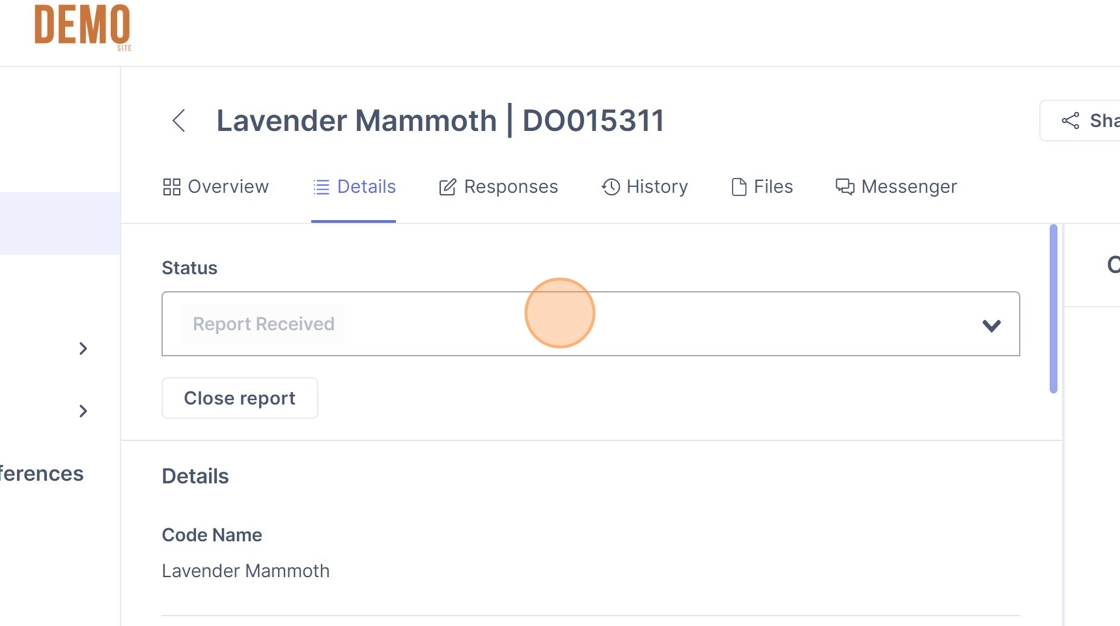

5. Click the status you'd like to assign from the drop down

6. Optional: Click the "Please provide a comment or description." field.

7. Type in your comments on the status update.
8. Click "Save new status"

How to view past status updates
9. Click "History"

10. Here you can view past report status updates, and the status in purple.

How to cancel a status update
11. Once you have clicked the status, click cancel
How to close a report
12. Navigate to the Details page of a report
13. Click "Close report"

How to re-open a report
14. Click "Reopen report"
